Setting up a professional voicemail greeting and recording your name is essential for a polished telephony experience.
Use Cases
Professional Image: A personalized voicemail greeting projects a professional image and assures callers that their message will be attended to.
Directory Assistance: The recorded name assists callers using the directory to verify that they have reached the correct extension.
Personalization for Extensions: In an organization with multiple extensions, custom greetings and names help to personalize each extension.
Step-by-Step Configuration
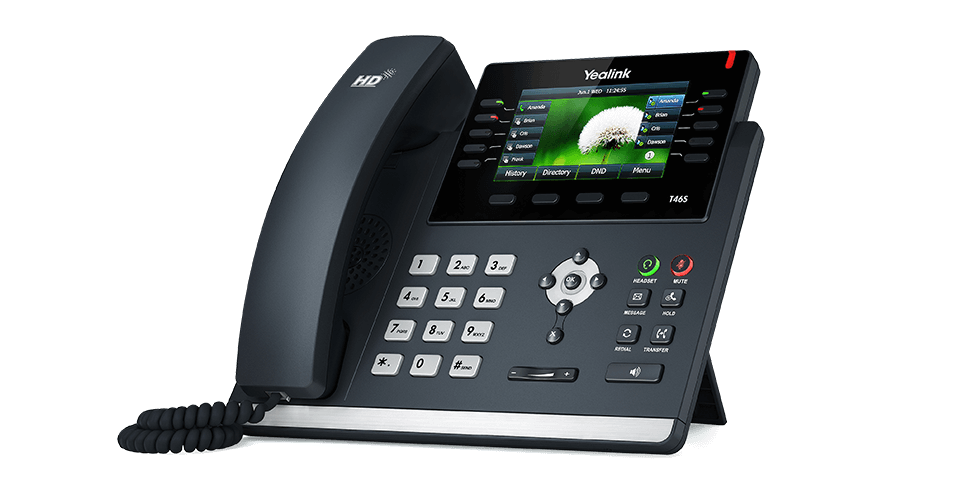
Access Voicemail Settings: When your phone is idle (not on a call), press the envelope or Message icon on the phone to access the voicemail settings. Alternatively, you may dial extension 5001.
Enter Voicemail PIN: You will be prompted to enter your voicemail PIN. Key in your PIN and press the # key to proceed.
Record Name: The system will direct you to record your name after a tone. This recording is used to confirm the selection when callers are searching by extensions in the directory.
Record Greeting: After recording your name, you will be prompted to record a greeting. This greeting will be played when callers reach your voicemail. For example: “You have reached the voicemail box of Joe Smith, I am currently not available for a call…”
Re-Recording (Optional): If you wish to re-record your name or greeting:
Hang up and press the envelope button again.
Enter your voicemail PIN and press #.
Select option 6 for mailbox options.
Choose option 1 to record your unavailable message (greeting).
Choose option 1 again to record your name.
For additional support or more advanced configurations, please submit a support ticket and we'll assist as soon as possible.
Was this article helpful?
That’s Great!
Thank you for your feedback
Sorry! We couldn't be helpful
Thank you for your feedback
Feedback sent
We appreciate your effort and will try to fix the article